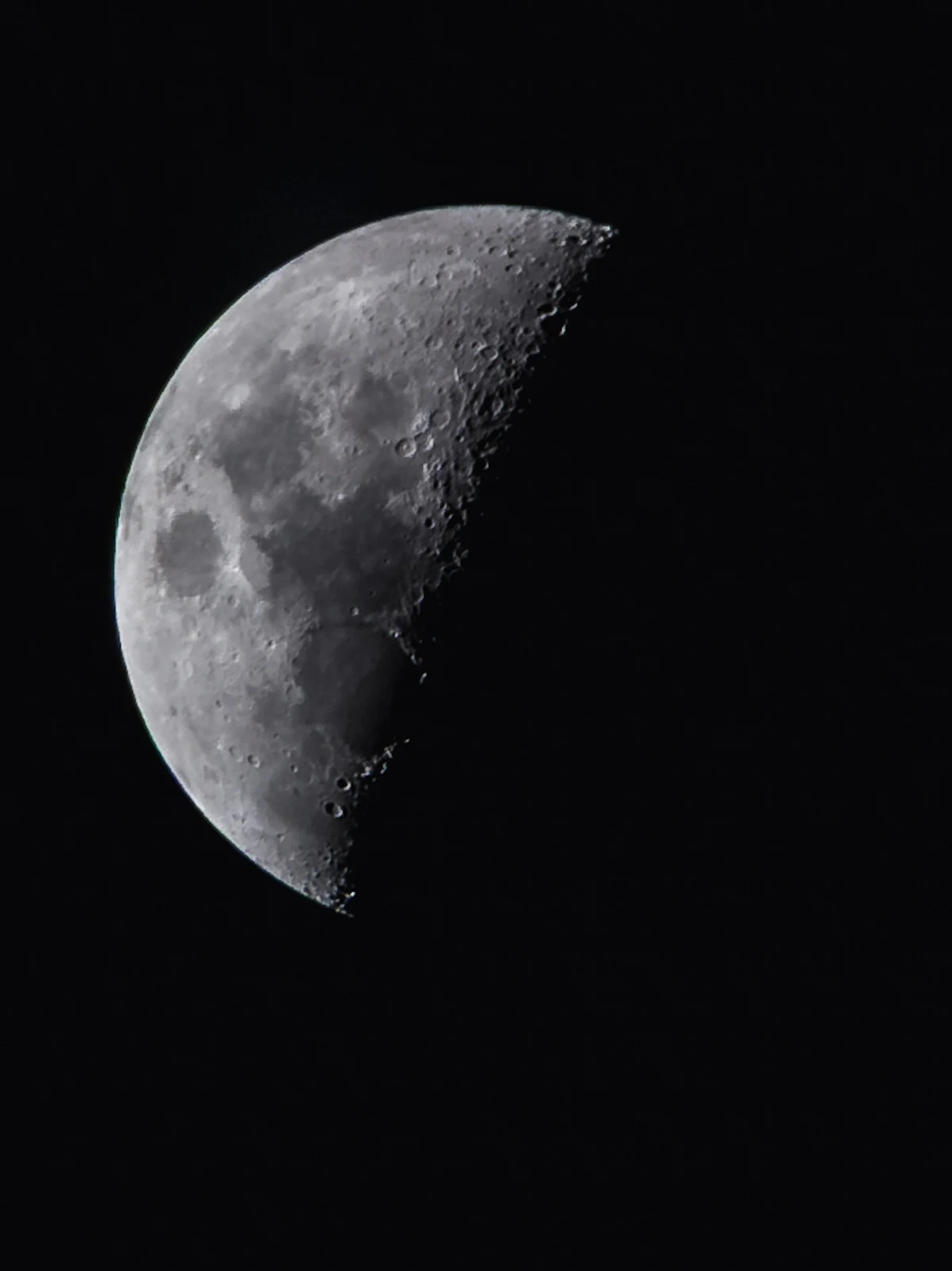
In “The edge of light”, photographed by Paul Melotto, the Moon sits against a generous field of darkness. Follow the boundary on its right: small bright rims and pockets of shadow turn a familiar shape into a textured landscape.
For your own lunar photographs, separate three decisions: the light you want, the exposure that preserves it and the focus that makes it clear. The suggestions below are general guidance, not a reconstruction of how this portfolio image was made.
Choose shadows as well as a phase
A full Moon is striking, but it is not the only useful subject. NASA recommends other phases when you want to see craters and mountains more clearly. Along the terminator—the boundary between lunar day and night—long shadows make the terrain easier to distinguish.
Before setting up, decide whether you want a bright, rounded disc or a view with stronger surface relief. Return on another night and compare the changing boundary. The lighting becomes part of the subject.
Further reading: NASA — Moon Viewing Tips
Expose for the bright surface
A large area of dark sky can lead the camera’s meter to make the Moon too bright. Canon suggests manual exposure as a way to take control. For a telephoto close-up, try ISO 100–400, f/8–f/11 and around 1/250 second as an initial experiment, then review and adjust.
These are starting points, not a universal recipe. If bright areas lose texture, reduce the exposure; if detail is too dark, increase it carefully. Judge the Moon rather than trying to brighten the surrounding sky.
Further reading: Canon Academy — Photographing the Moon
Confirm focus, then release gently
Place an autofocus point on the Moon’s edge, or use manual focus with a magnified live view to inspect a clear feature. Check the captured image at a larger display size before continuing.
A timer or remote release helps avoid disturbing the camera when you take the shot. A stable camera does not stop the Moon’s apparent movement, so very long exposures can still soften detail. Review sharpness as well as brightness.
Further reading: Canon Academy — Photographing the Moon
Leave room for the darkness
Return to the photograph above and look at its outer edges. The black space gives the illuminated surface room to stand out. Treat that space as a deliberate part of your own framing.
Try two compositions at capture: one with more surrounding sky and one closer view. Compare how they feel before choosing a favourite. A larger Moon is not automatically the more compelling photograph.
Editorial notes researched and prepared with AI assistance.
← Back to the blog